Short version: Both locks are strong choices. August’s Wi-Fi Smart Lock offers a compact retrofit design with built-in Wi-Fi (no bridge) and rich app features; Yale’s Assure Lock® 2 is a broader family (Bluetooth / Wi-Fi / fingerprint / Apple Home Key variants) with more hardware options (touchscreen, keypad, fingerprint, keyed backup) and a slightly wider price range. Which is “better” depends on whether you want a simple, no-bridge retrofit with strong mobile-first UX or a more modular product line with Apple Home Key, biometrics and a choice of form factors.
At a glance – what matters most
- August Wi-Fi Smart Lock — Built-in Wi-Fi, attaches to your existing single-cylinder deadbolt (inside the door), compact profile, DoorSense sensor included, runs on 2 × CR123 batteries, sells around $199–$229 (single unit / bundles). Best if you want a minimal DIY retrofit that keeps your existing key and gives immediate remote access without adding a bridge.
- Yale Assure Lock® 2 (family) — Multiple SKUs (Assure Lock 2, Assure Lock 2 Touch with fingerprint, Assure Lock 2 Plus with Apple Home Key), Bluetooth standard with Wi-Fi variants (or Wi-Fi module/upgrade), touchscreen/keypad options, runs on 4 × AA batteries, price range roughly $189–$309 depending on model and features. Best if you want hardware variety (biometrics, Apple Home Key) and more form-factor choices.
Key differences explained
Connectivity & remote access
- August: Wi-Fi built into the lock — no separate Wi-Fi bridge required for remote control or voice assistant integrations. That simplifies install and remote control out of the box.
- Yale Assure Lock 2: Bluetooth is standard across the family; Wi-Fi and remote features are available in Wi-Fi models or with an upgrade module depending on SKU. Yale also offers an Assure Lock 2 Plus with Apple Home Key built-in for very tight iPhone/watch integration. If you’re an Apple user who values tap-to-unlock, Yale’s Apple Home Key variant is an advantage.
Form factor & access methods
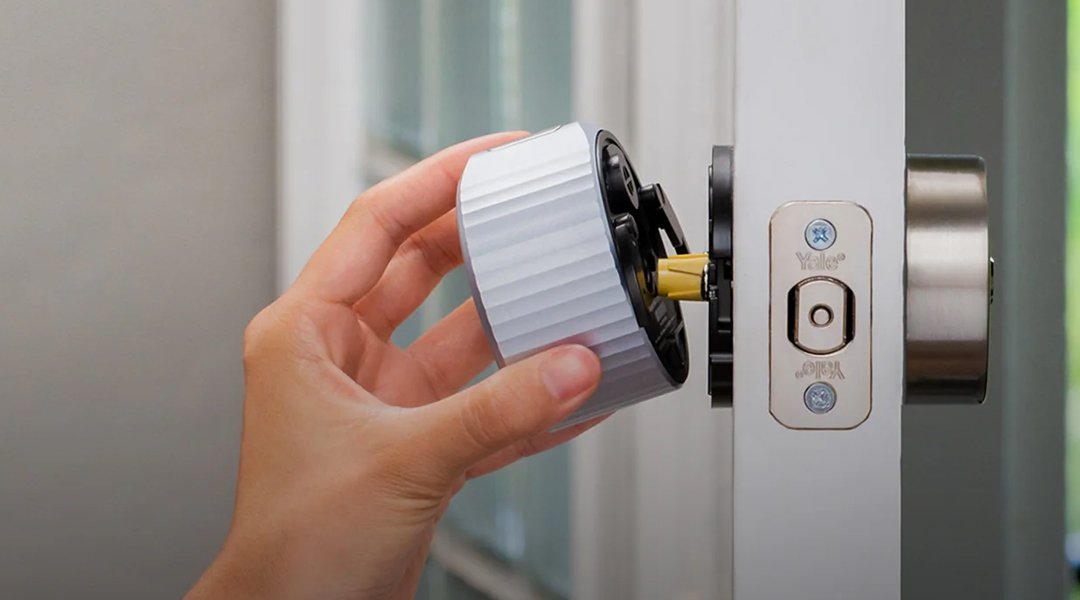
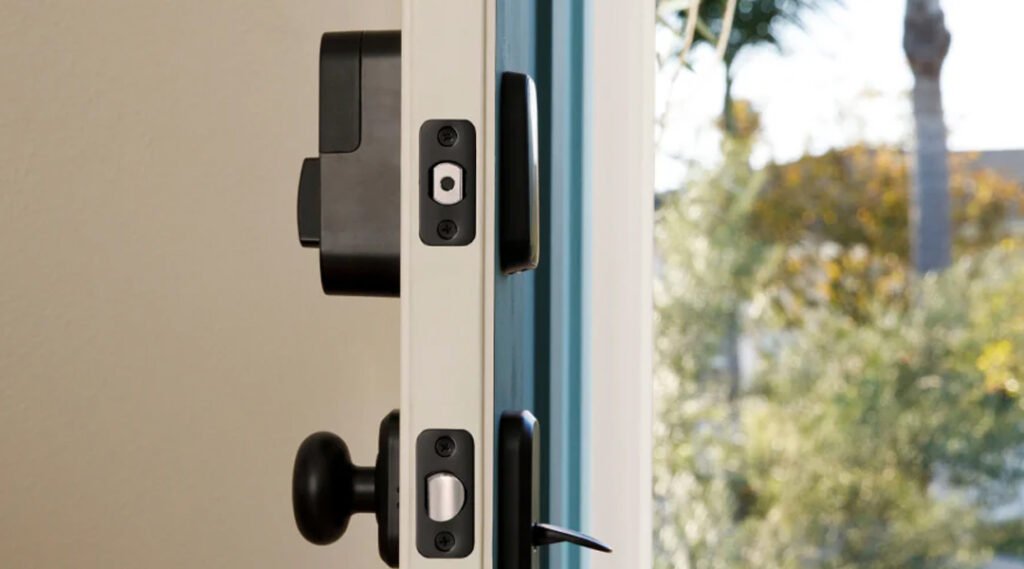
- August attaches to your existing deadbolt on the inside — keeps your outside hardware and physical keys intact (retrofit). Works with keypad accessory or Keypad Touch (fingerprint accessory) bundles for PIN/biometric entry.
- Yale Assure Lock 2 family includes keyed and key-free options, touchscreen keypads, and a Touch model with fingerprint reader. Yale’s family approach gives you more choices (full replacement style rather than just an interior retrofit).
Power & battery life
- August uses 2 × CR123 batteries shipped with the lock (compact battery form helps keep the profile small).
- Yale Assure Lock 2 uses 4 × AA alkaline batteries (included), which are inexpensive and widely available. AA cells are often convenient for long-term replacement and are cheaper than CR123s, though real-world battery life varies with usage and Wi-Fi activity.
Installation & compatibility
- August: marketed as an easy retrofit that mounts over your existing single-cylinder deadbolt on the inside — renter-friendly and fast to install. August also publishes compatibility checks for various deadbolts.
- Yale: Assure Lock 2 replaces the lock hardware (a fuller hardware replacement), and supports standard door thicknesses/backsets noted in specs (door thickness 1⅜”–2¼”, backsets 2⅜” or 2¾”). Check your door specs before buying.
Smart-home integrations & ecosystems
- August: Works with Alexa, Google Assistant, Apple HomeKit (Siri), and offers activity feed, guest keys and geofence Auto-Unlock via the August app. Built-in Wi-Fi simplifies voice and remote setup.
- Yale: Broad ecosystem support (Apple HomeKit, Google, Alexa, SmartThings, ecobee, Airbnb integrations mentioned across model options). Unique to Yale is the Apple Home Key capability on Plus models for native tap-to-unlock on supported iPhones/Apple Watches.
Side-by-side comparison
| Feature | August Wi-Fi Smart Lock | Yale Assure Lock® 2 (family) |
|---|---|---|
| Price (approx.) | $199–$229 (single / bundles) | $189–$309 depending on model (Touch, Plus, Wi-Fi versions). |
| Connectivity | Built-in Wi-Fi (2.4/5 GHz), app, voice assistants. | Bluetooth standard; Wi-Fi available on Wi-Fi variants / upgrades; Apple Home Key on Plus. |
| Power | 2 × CR123 batteries (included). | 4 × AA alkaline batteries (included). |
| Access methods | Smartphone, Apple Watch, existing key, guest keys, keypad/fingerprint via bundles. | Keypad, touchscreen, fingerprint (Touch model), Apple Home Key (Plus), keyed backup options. |
| Install style | Retrofit—attaches to interior side of existing deadbolt. | Full lock replacement (multiple finishes, backset options). |
| Activity logs / guest keys | Yes (August app activity feed & guest keys). | Yes (Yale Access app: access scheduling and activity). |
Pros & Cons from professionals
August Wi-Fi Smart Lock
Pros
- Built-in Wi-Fi (no bridge) — simple remote access setup.
- Retrofit design keeps your exterior hardware and keys — ideal for renters or people who prefer minimal visible change.
- Compact, modern design and robust app features (auto-lock/unlock, guest keys, activity feed).
Cons
- Fewer hardware form-factor choices out of the box (you add keypad/biometric via bundles instead of choosing a native fingerprint model).
- Uses CR123 batteries (less common / more expensive than AA).
Yale Assure Lock® 2
Pros
- Wide family: touchscreen, keypad, fingerprint, and Apple Home Key options — pick the exact experience you want.
- Uses AA batteries (cheap and easy to replace).
- Strong ecosystem support and a clear path to Apple Home Key for Apple ecosystem users.
Cons
- Some models require a Wi-Fi module or specific SKU for remote access — check which variant you buy.
- Replacing the entire lock may be less renter-friendly than a retrofit solution.
Who should buy which lock?
- Buy the August Wi-Fi Smart Lock if: you want a quick, low-impact retrofit that keeps your existing deadbolt and keys, offers built-in Wi-Fi with solid remote features and a compact interior profile. Good for renters or owners who want minimal changes and easy remote control.
- Buy the Yale Assure Lock 2 if: you want hardware choice (touchscreen keypad, fingerprint reader, Apple Home Key), prefer AA batteries, or want a lock that’s available in many finishes and integrations. Especially compelling for Apple users who want native Apple Home Key support or households that want a fingerprint keypad option.
Quick buying & installation checklist
- Measure your door (thickness, backset, face bore) — Yale lists supported dimensions; August attaches to single-cylinder deadbolts.
- Decide connectivity — built-in Wi-Fi (August) vs Bluetooth with optional Wi-Fi SKU (Yale). Choose based on whether you want immediate remote access without extra hardware.
- Check power preferences — CR123 (compact) vs AA (common & cheap).
- Think about access methods — keypad/fingerprint/Apple Home Key vs phone + guest codes. Pick the access style your household will use most.
Security & privacy notes
- Both vendors publish app-based activity logs and guest key systems; security relies on keeping your phone + app credentials secure, and on using current firmware. For Apple Home Key, ensure your iPhone/watch meets the stated OS/hardware requirements. Always enable two-factor auth on accounts where available and follow vendor guidance for secure PINs and user management.
Final recommendation
- If you rent or want the fastest, least-visible upgrade: go August — retrofit + built-in Wi-Fi without a bridge.
- If you want biometric or Apple native key support or many hardware choices: go Yale Assure Lock 2 family (choose the Touch or Plus models as needed).
More articles for the topic
Choosing Between Size and Sound: Nest Mini vs Nest Audio
Apple HomePod Comparison: Fidelity, Features, and Which to Choose
New Amazon Echo vs. Apple HomePod (2nd Gen) vs. Google Nest Audio: Deep Analyses and Comparison